Official Sukuri store
Division Resurgence cheats
Sukuri Division Resurgence PC software for Steam and Ubisoft Connect. Explore aim, ESP, loot filters and automation, screenshots, requirements and current plans.
Compatibility
Windows PC · Steam · Ubisoft Connect
For the PC release of The Division Resurgence, not the Android or iOS editions.
Features
Aim
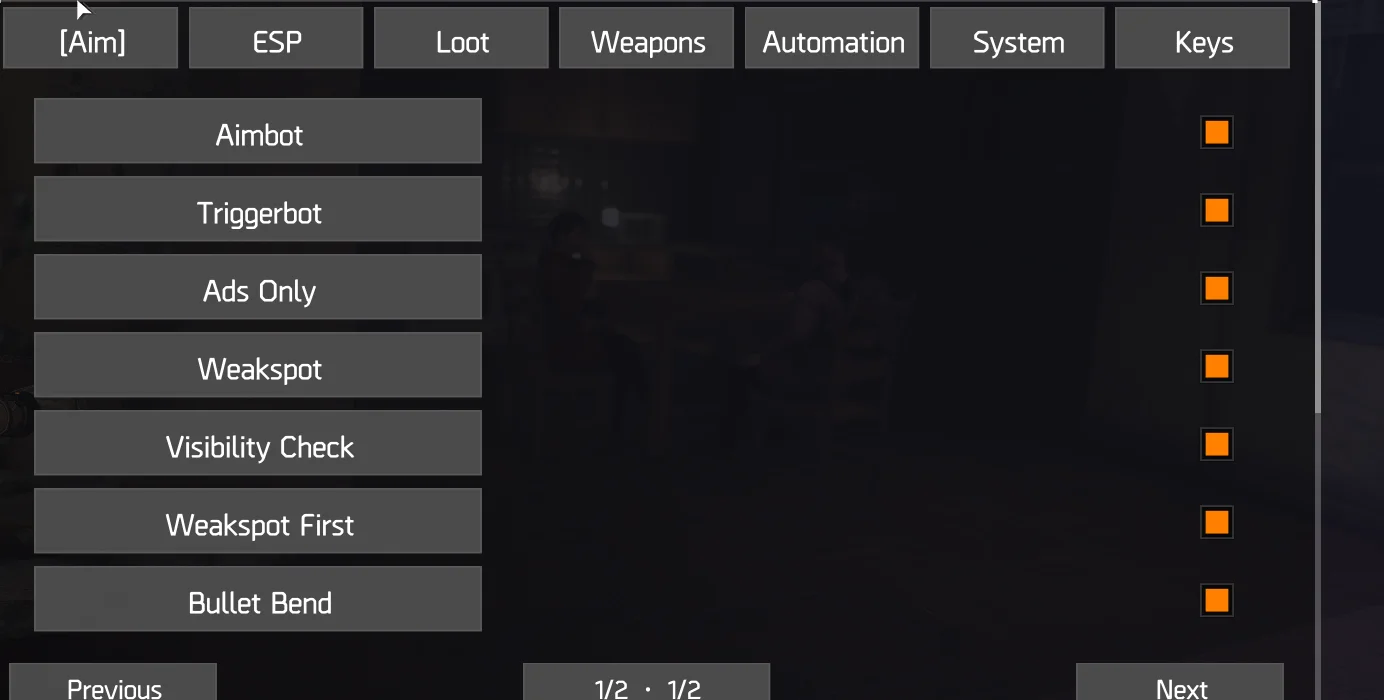
- Aimbot and Triggerbot controls
- ADS-only activation and visibility checks
- Weakspot targeting and weakspot-first preference
- Bullet Bend control
- Aim field of view, smoothing and target priority
- Humanize, prioritize players and aim auto-swap
- Head, neck, upper-body and hip target points
- FOV circle and custom crosshair with outline
ESP
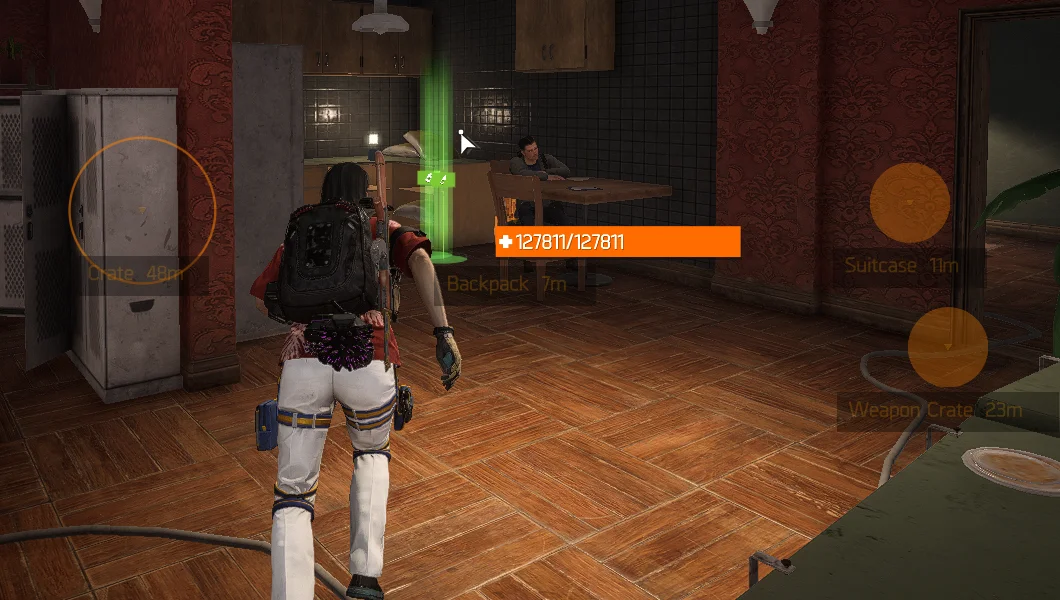
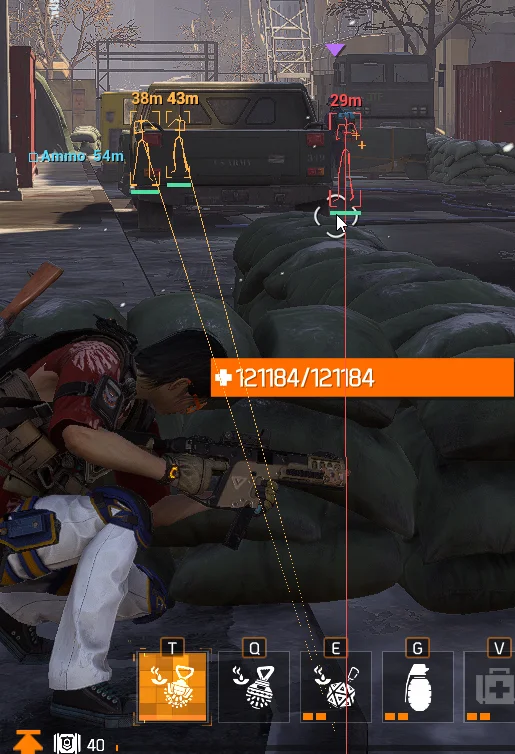
- Player names, health, distance and weakspot markers
- Skeleton, box and snapline overlays
- Enemy chams and selectable outline styles
- Clean or classic presentation with adjustable range bands
- World-loot overlay and individual item-type switches
Loot
- Markers for ammo, DZ and weapon crates; extraction, SHD tech, airdrops and collectibles
- Weapon, gear, mod, consumable, key and other-drop categories
- High-value items, containers and PvP-zone markers
- Minimum and maximum distance, marker limit and refresh interval
- Icon style, color, size, opacity, names and distance labels
- Rarity colors, minimum rarity, specific-item filtering and on-screen-only display
Weapons
- No-recoil and no-spread controls
- Semi-to-full-auto and fire-rate controls
- Fire-rate and reload multipliers
- Mag Dump
- Fast Reload and Max Reload
- Automatic weapon swap
- Tactical Link control
Automation
- Auto Heal with normal and emergency thresholds
- Gather Bot with drop, box, DZ, ammo and weapon filters
- Collect range and ammo-reserve settings
- Nest Bot with clan or hostile target modes
- Avoid-combat, sprint and proficiency-rotation rules
- Skip Cutscenes and throwable positioning
- Dark Zone dismantle by quality and score
- Mod and inventory dismantle by quality and score
System
- Adjustable game field of view
- ESP update-rate setting
- Menu language selection
- Menu recentering
Keybinds
- Aim, Triggerbot and Weakspot shortcuts
- Rapid Fire, Fast Reload and Auto Heal shortcuts
- Toggle-all shortcut
- Menu toggle, recenter and quit shortcuts
Screenshots and gameplay
Before you buy
How do I get access?
Choose a plan, sign in and complete checkout. Confirmed payment adds access to your account. Stripe and cryptocurrency methods are shown where available.
Which price will I pay?
These are base USD prices. Checkout shows your exact regional, referral or renewal quote before payment. There is no automatic renewal.
What is the refund policy?
You can refund one Stripe order yourself within 48 hours, before half its time is used. For other payment methods or requests, email admin@sukuri.win with your order number.
Where can I check status?
Sign in for the current product status before playing. Game updates can change compatibility and detection; no status is a guarantee against a ban.
Read the buying guide